MUHAMMAD HASSAN VAHANDKARACHI, PAKISTAN ↗

MUHAMMAD HASSAN VAHAND.

FLUTTER-FOCUSED SOFTWARE DEVELOPER

I turn connected systems
into useful software.

Mobile apps, business platforms and industrial tools. Built with attention to the whole product.

Muhammad Hassan Vahand wearing glasses, a white kufi and a white shirt
THE PERSON BEHIND THE BUILD
THE ENGINEER’S CANVASSCROLL TO CONNECT THE DOTS
01 / THE PERSON & THE PRACTICESkip story

Behind
the build.

Muhammad Hassan Vahand wearing glasses, a white kufi and a white shirt
KARACHI / PK

I’m Hassan, a Flutter-focused software developer in Karachi and an App Developer at 4D Technologies. I build mobile products, industrial tools and connected business systems.

Flutter is my primary specialization. My web implementation is AI-assisted, with personal customization and behavior validation.

Read my résumé
Requirementspeople / recordsInterfaceFlutter / webApplication.NET / APIsDataSQL ServerIntegrationsAPI / SignalRDeliverytest / verify
  1. 01Requirementspeople / records
  2. 02InterfaceFlutter / web
  3. 03Application.NET / APIs
  4. 04DataSQL Server
  5. 05IntegrationsAPI / SignalR
  6. 06Deliverytest / verify
Conceptual architecture · assembled as the story advances.
01 / Understand

Start with the work.

Identify the people, records and decisions involved: a monitoring reading, an order, a production scan or a customer quotation.

02 / Architect

Give every layer a purpose.

Plan the interface, application behavior, permissions and data relationships before connecting the pieces.

03 / Build

Make the interface and backend agree.

Build Flutter application flows and connect APIs. Apply ASP.NET Core business logic where the project requires it; customize and validate AI-assisted web interfaces.

04 / Connect

Keep the record connected.

Connect SQL Server records, API integrations and real-time communication in the projects that use them. Make the path from an action to its stored record understandable.

05 / Validate

Check behavior, then delivery.

Exercise workflows, integrations, permissions, error states and reports. Debug delivery issues and personally verify the finished behavior.

  1. 01Understand
  2. 02Architect
  3. 03Build
  4. 04Connect
  5. 05Validate
02 / PRODUCTION, AS A CONNECTED SYSTEMNext chapter

From an order to a traceable piece.

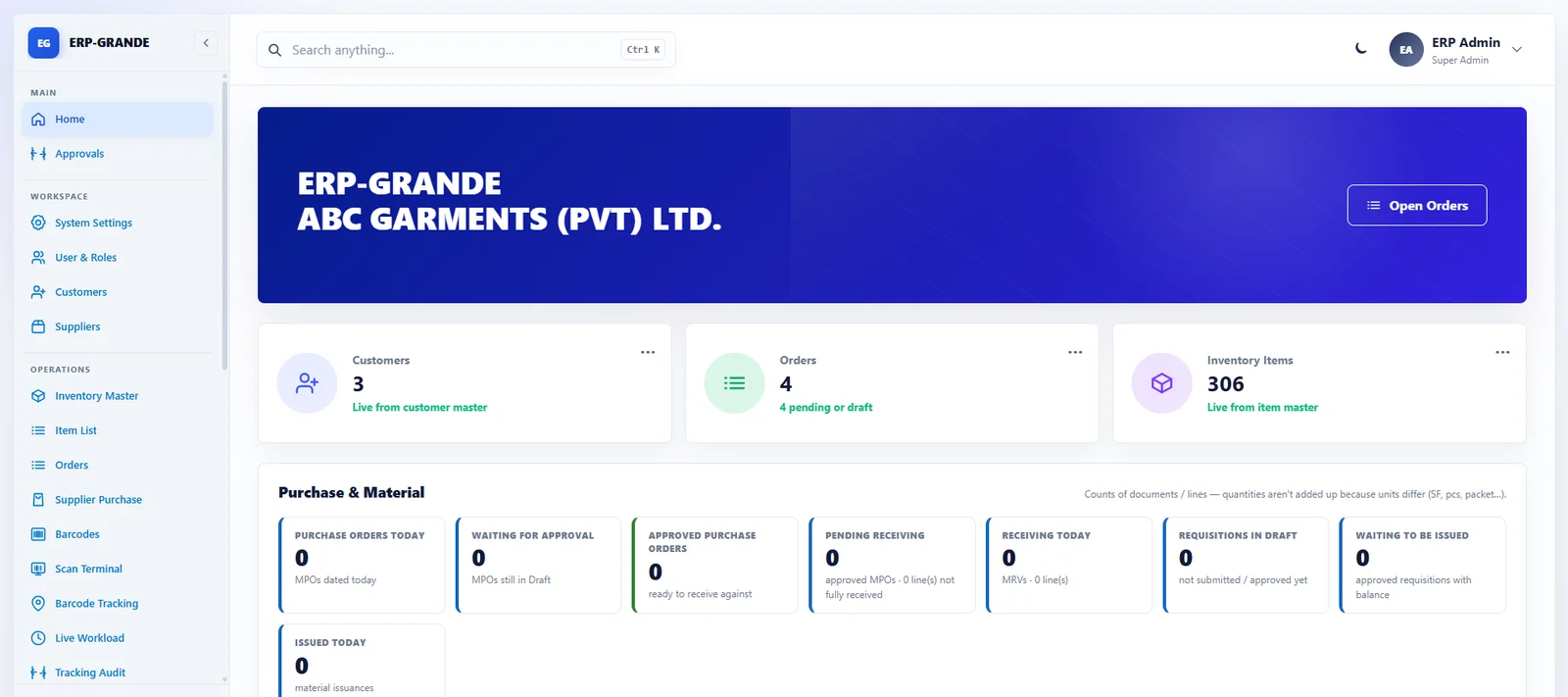
ERP Grande

Private business project · public workflow overview
Development & production testingMY WORK / Workflow, permissions, barcode records and reporting.
01 / Customer order

Begin with the purchase order.

Customer purchase orders (CPOs) carry size breakups and approval context before work moves into production.

02 / Production batch

Carry the order into production.

Customer orders connect to production batches. Material requisition, issuance and receiving keep the production context connected to material movements.

03 / Piece barcode

Give each piece an identity.

Per-piece barcodes provide an identifier that can follow a garment through production, alongside its order and production context.

04 / Station scan

Record the hand-off.

Department-wise scanning stations capture progress against piece identifiers. Each scan keeps the activity connected to the right production record.

05 / Production tracking

Make work in progress reviewable.

Production records, live worker workload, filters and reassignment give the operation a view of where work stands.

06 / Reporting

Bring the record back together.

Daily production and work-progress PDFs connect the recorded work to reviewable output. AQL quality checks are also recorded in the source feature set.

ORDER CONTEXT / PIECE TRACEABILITYCPO01Batch02Piece ID03Station04Tracking05Report06ASP.NET CORE MVC / SQL SERVER / BARCODE WORKFLOWS / PDF
  1. 01CPO
  2. 02Batch
  3. 03Piece ID
  4. 04Station
  5. 05Tracking
  6. 06Report
One identifier connects the piece to recorded production activity.
Public ERP Grande demonstration dashboard with example order and inventory records
Public demonstration screen · figures are example records, not project outcomes.
03 / BUSINESS RECORDS THAT STAY CONNECTEDNext chapter

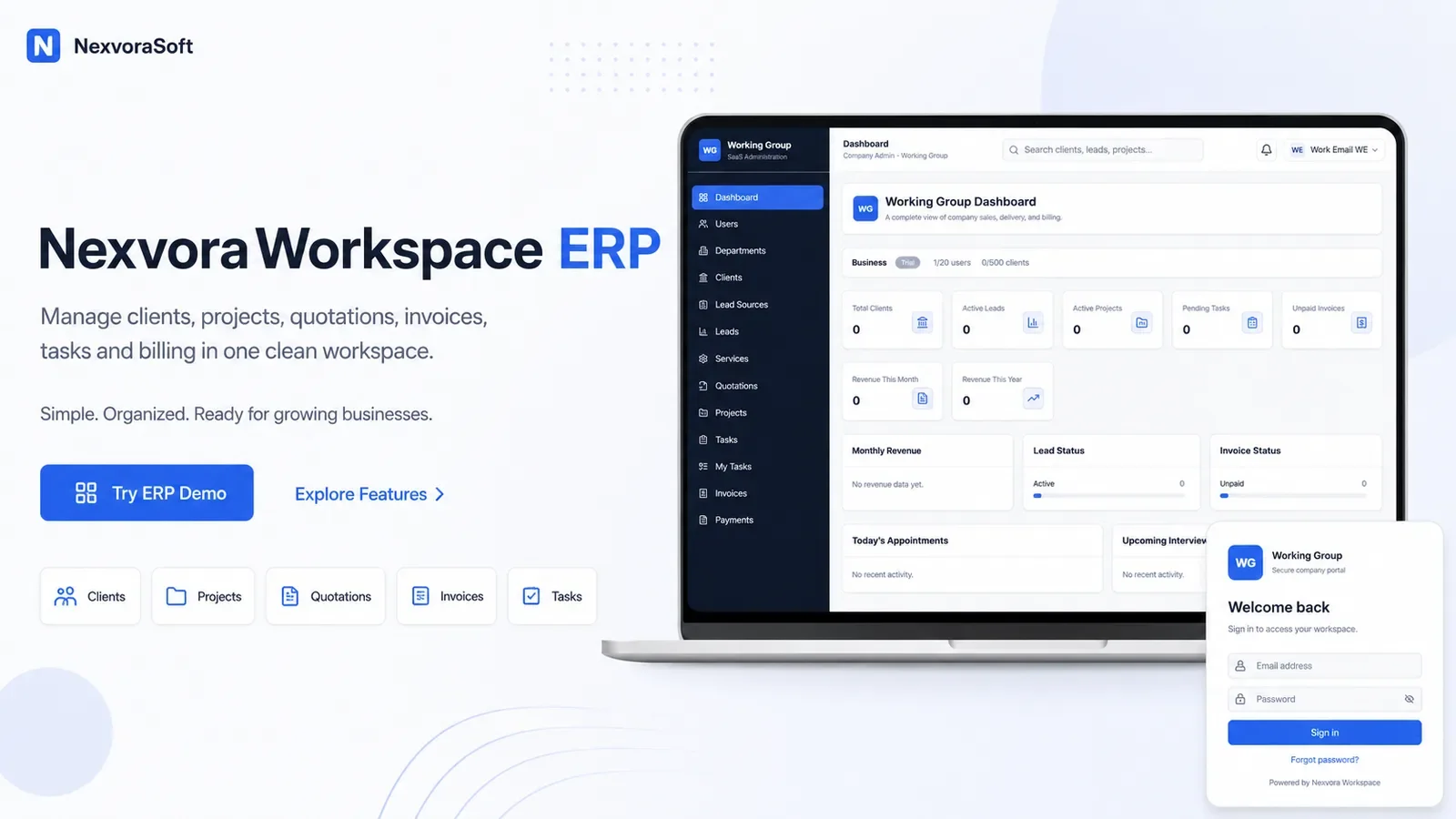
Nexvora Workspace / multi-company SaaS

Business, connected.

Independent product
Live productMY WORK / Backend workflows, authorization and product planning; AI-assisted interface customization and validation.
01 / Lead / client

Start with the customer record.

Clients, leads and services provide commercial context inside the signed-in company’s workspace.

02 / Quotation

Make the proposed work explicit.

Branded quotations connect a proposed service to its customer. The source includes quotation workflows and a client portal.

03 / Project delivery

Connect the proposal to the work.

Projects, tasks and comments organize delivery while retaining the surrounding customer and commercial context.

04 / Invoice

Keep billing in the same story.

Invoices connect the financial record to business activity. Company, department and role permissions determine the permitted view and actions.

05 / Payment

Complete the financial record.

Payments, reminders and the client portal bring invoice status and customer-facing financial records into the same workspace.

SIGNED-IN COMPANY / AUTHORIZED RECORDSLead / client01Quotation02Project03Invoice04Payment05DEPARTMENTS + ROLES + ACTION PERMISSIONS + FEATURE ACCESS
  1. 01Lead / client
  2. 02Quotation
  3. 03Project
  4. 04Invoice
  5. 05Payment
Other companies’ private records remain outside this company context.
Nexvora Workspace product artwork with its business dashboard and company sign-in
Original Nexvora product artwork · connected operational records.
04 / INDUSTRIAL SYSTEMS — ECOTRACKSkip chapter

EcoTrack

Developed for 4D Technologies
In development
01 / The problem

A reading needs context.

Operators need temperature and humidity readings, alerts, historical records and practical reports in one environmental monitoring workflow.

02 / The approach

Connect the whole system.

Flutter desktop and mobile flows connect to an ASP.NET Core API, SQL Server and SignalR for environmental monitoring and real-time communication.

03 / The product

Make the record visible.

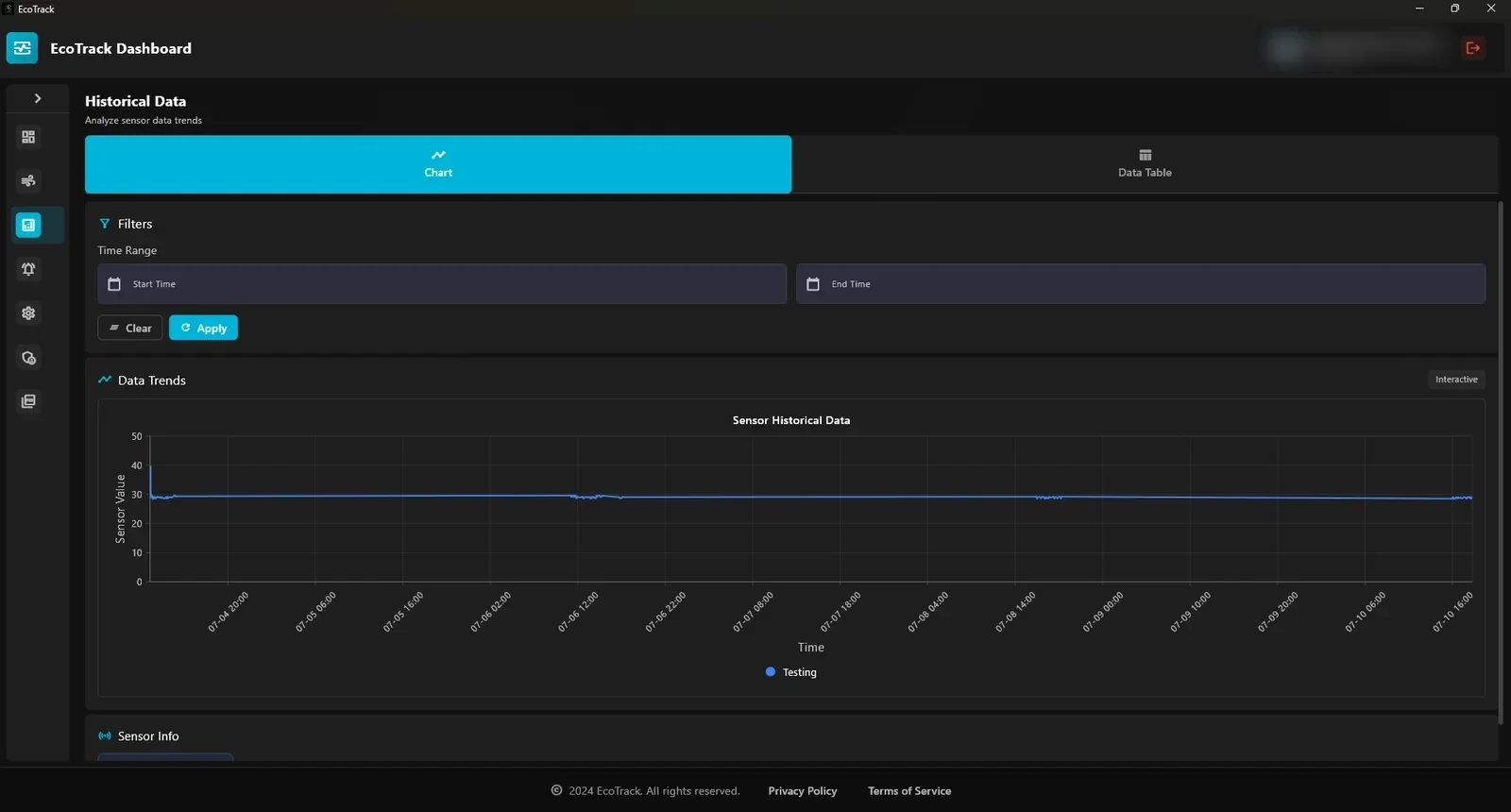
The real EcoTrack history screen brings temperature and humidity trends into a reviewable application view.

04 / The contribution

From application flow to a traceable report.

My contribution covers Flutter desktop and mobile flows, API integration, monitoring, reporting and end-to-end behavior validation.

  • Historical charts & thresholds
  • Alarm & audit records
  • PDF reports
ECOTRACK / HISTORICAL DATA↗
Real EcoTrack desktop historical temperature and humidity chart
Actual application screen. Account identifiers obscured.
  1. 01problem
  2. 02approach
  3. 03product
  4. 04contribution
Read the case study

A little
play goes
a long way.

A little curiosity. A new way to think. Logic puzzles, a world-based Journey and live multiplayer, built with Flutter.

Flutter / Dart / Firebase

Inside Patternix View on Google Play
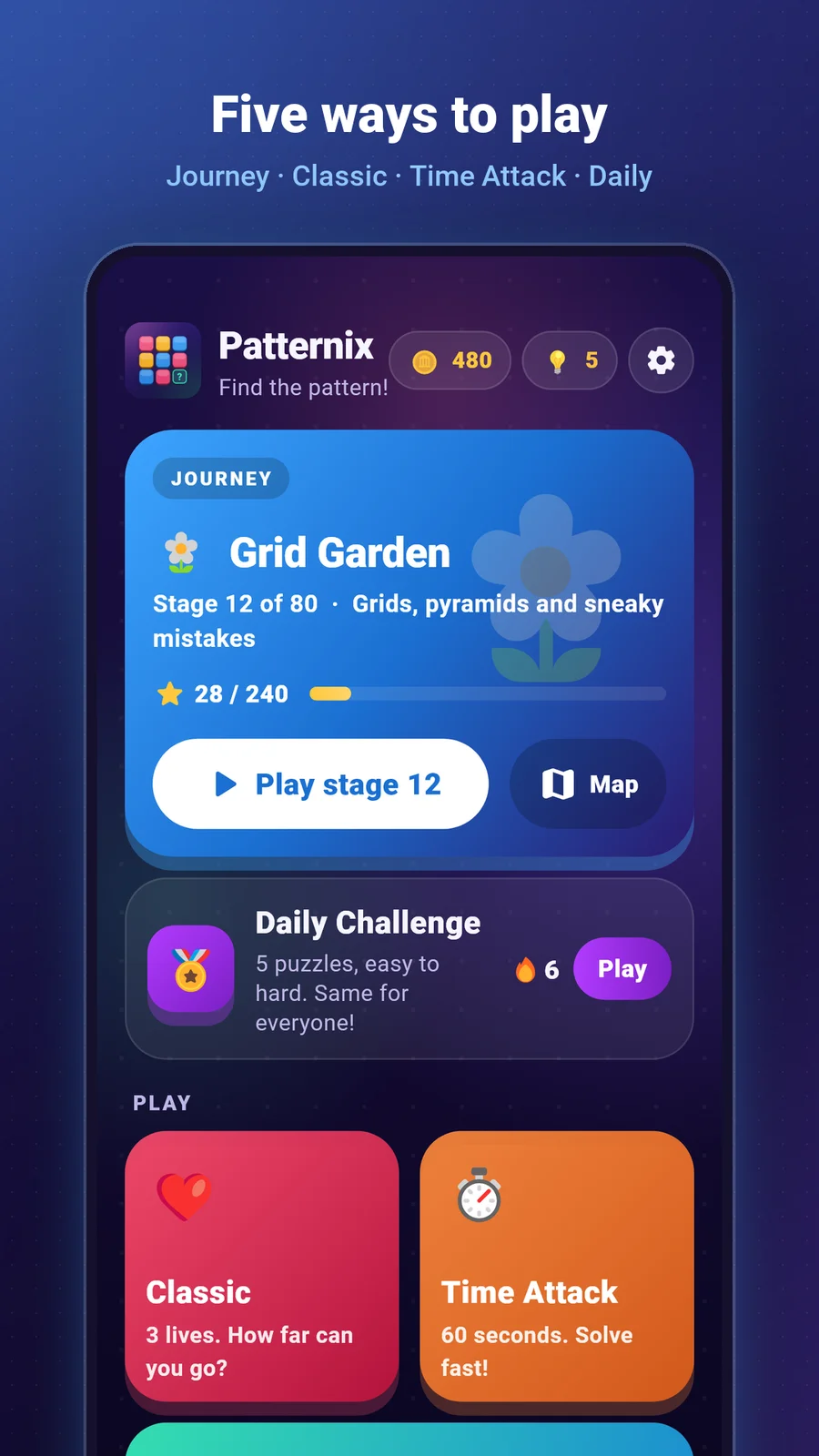
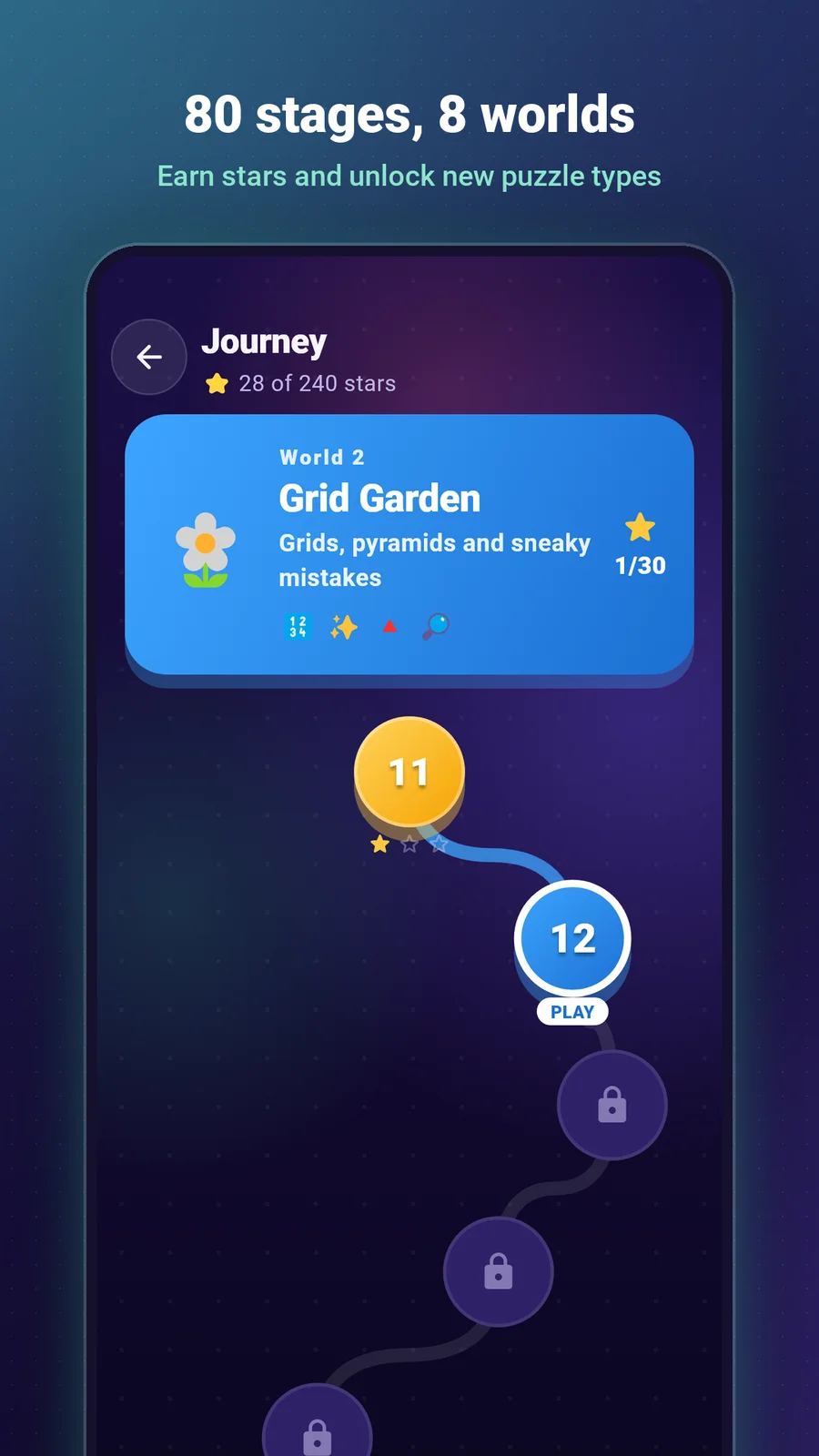
Patternix home screen with available play modes
Patternix Journey map

ACTUAL APP STORE ARTWORK / REFRAMED

MORE INDUSTRIAL ENGINEERING / 4D TECHNOLOGIES

A logger export.
A usable cycle record.

SteriTrack is a separate Flutter application for CSV logger-data processing, cycle detection, F0 calculation, local history and PDF or thermal-print output.

  1. Import
  2. Analyze
  3. Store
  4. Report
Inside SteriTrack
06 / EXPLORE THE CONNECTIONS

Tools become
working systems.

Follow the connections as you scroll. Select a project, then a technology to see what it actually does.

Environmental monitoring / desktop + mobile

SELECT A NODE. SEE ITS PURPOSE.
01 / Application

Flutter

Desktop and mobile flows for live readings, historical charts, configuration and reporting.

FlutterAPI integration
See it in EcoTrack

The tools,
in context.

Mobile engineering+

My primary specialization. Practical Flutter applications, from responsive interfaces to offline records and Android-specific behavior.

Flutter / Dart / Firebase / SQLite / Android / State management

Applied in EcoTrack, SteriTrack, Patternix and Quizler Quest.

Explore a related project ↗
Backend & data+

Applied to product requirements. APIs and relational data that support authentication, role permissions, business rules and reporting.

ASP.NET Core / SQL Server / Entity Framework Core / JWT / SignalR / REST APIs

Applied in Nexvora Workspace and industrial monitoring workflows.

Explore a related project ↗
Web & integration+

AI-assisted implementation. Web interfaces customized around real API workflows, with AI-assisted development and personal behavior validation.

Next.js / React / TypeScript / Tailwind CSS / API integration

Applied in Nexvora Workspace's connected business interface.

Explore a related project ↗
Tools & delivery+

From debugging to deployment. A practical toolkit for testing integrations, diagnosing issues, reviewing changes and delivering working applications.

Git & GitHub / Postman / VS Code / Visual Studio / Vercel / Hostinger

Used across mobile, business systems and deployment troubleshooting.

Explore a related project ↗
07 / EXPERIENCE & LEARNING

A continuing
practice.

Current

App Developer

4D Technologies

Developing mobile and desktop applications for laboratory and industrial workflows, including EcoTrack and SteriTrack.

2025

University of Karachi

Bachelor’s graduation

Islamic Studies with Computer Technologies · Shaikh Zayed Islamic Department. Completed 2025.

Training

Flutter Mobile App Development

Saylani Mass IT Training · SMIT

Formal training in Flutter mobile application development.

08 / THE NEXT CONNECTIONKARACHI ↗ EVERYWHERE

Good software.Starts with aconversation.

MUHAMMAD HASSAN VAHAND / SOFTWARE, THOUGHTFULLY CONNECTED.